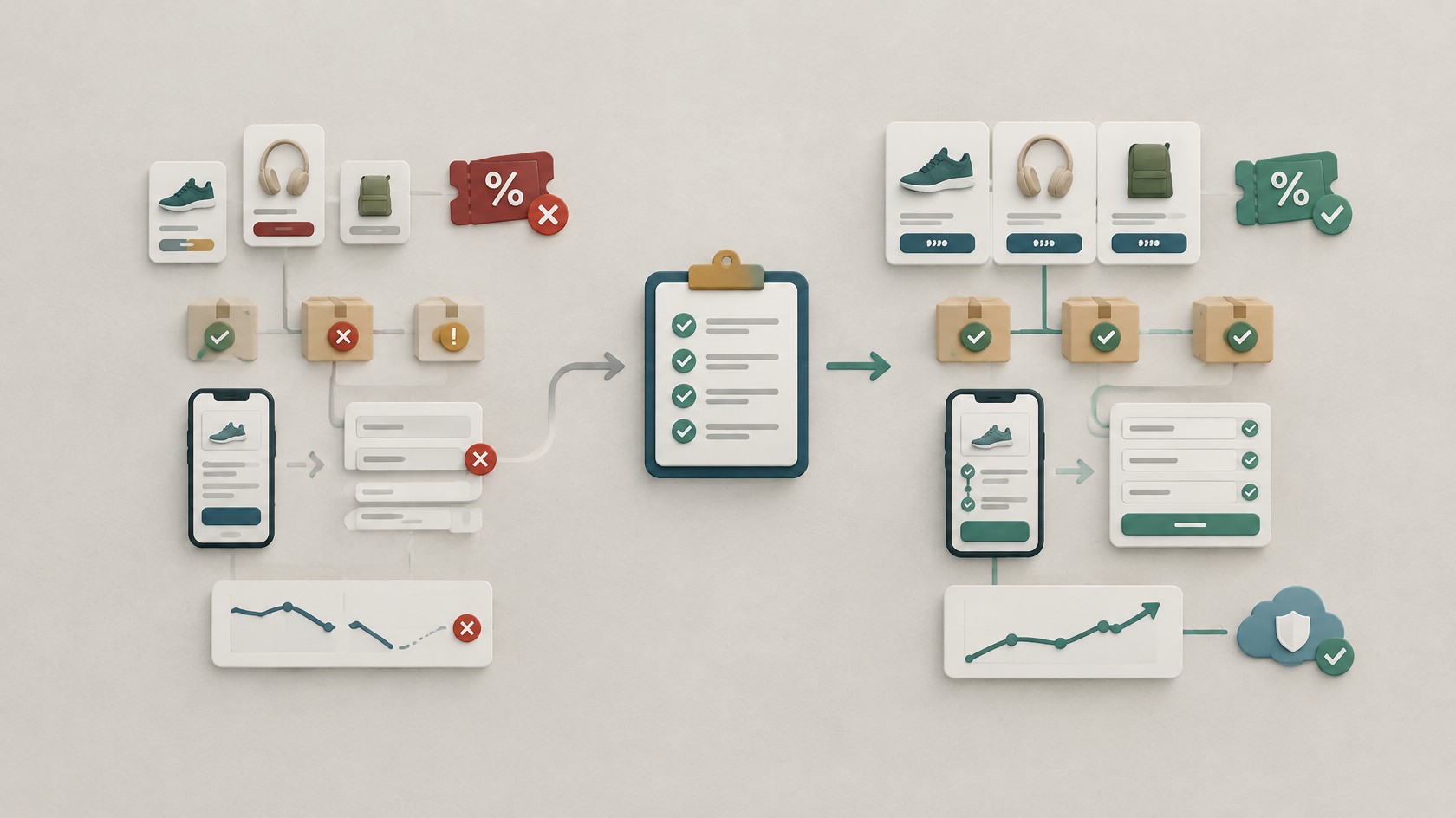
1. Confirm that every offer is accurate and understandable
Start with the information customers use to decide whether to buy. Product names, descriptions, prices, availability, shipping terms, promotional dates, and images should agree everywhere they appear.
Check the sale landing page, product pages, category pages, cart, checkout, confirmation messages, advertisements, email campaigns, and any product feeds connected to shopping platforms. A discounted price displayed on a product page is not enough if the regular price returns in the cart or an advertisement shows an expired offer.
How to check
- Confirm that regular prices, sale prices, calculated discounts, promotional dates, and applicable time zones are correct.
- Test each coupon like a customer, including eligibility requirements, minimum orders, expiration rules, and whether combinations are allowed.
- Test free-shipping thresholds, bundles, quantity discounts, and automatic promotions immediately above and below qualifying amounts.
- Compare product-page prices and availability with connected product feeds or sales channels.
- Check product variants such as size, color, quantity, or service level for correct pricing and availability.
What you're looking for
The customer should encounter the same understandable offer from the original promotion through the final checkout total. Prices, availability, deadlines, shipping terms, and promotional rules should not unexpectedly change between steps.
Don't panic if
Different systems display information differently. The important question is whether those differences change what the customer reasonably expects to pay, receive, or qualify for.
AP Web Tech's Tip
Test the offer from the customer's starting point rather than beginning inside the store dashboard. Opening the actual campaign link can reveal problems an administrative preview will not.
2. Test the complete customer journey on real devices
Do not stop after previewing the homepage. Follow the same path a customer will take, from opening a promotion through receiving an order confirmation.
How to check
- Start from each campaign link. Open scheduled email, social, advertisement, QR-code, and promotional-banner links and confirm that each reaches the intended live page.
- Find a promoted product. Use website search and navigation and make sure the relevant products are easy to reach.
- Test product options. Select different sizes, colors, quantities, or service options and watch for unexpected price, image, inventory, or availability changes.
- Update the cart. Add and remove products, change quantities, and confirm that discounts, shipping thresholds, and totals update correctly.
- Apply coupons. Test valid and invalid codes and verify that useful messages explain what happened.
- Complete the journey on a real phone. Check form fields, buttons, error messages, address entry, payment options, and final order review.
- Submit important forms. Test contact, quote, newsletter, back-in-stock, support, or lead forms that matter during the sale.
- Review confirmation communication. Check confirmation pages, receipts, order emails, pickup or shipping instructions, and customer-service information.
- Verify analytics. Confirm that the important ecommerce or lead actions your business relies upon are actually being recorded.
What you're looking for
The journey should remain understandable and usable from promotion to confirmation. Pay particular attention to places where one system hands information to another, such as coupons, inventory, payments, forms, notifications, and analytics.
Don't panic if
Your checkout does not behave exactly like another store's checkout. The goal is not to imitate a particular retailer. The goal is to make your own customer's path understandable, functional, and testable on the devices your customers may use.
3. Prepare inventory, monitoring, and a recovery plan
A good Black Friday website checklist should cover what happens after the sale begins as well as what happens before it. Decide how important website activity will be monitored and what should happen if a promotion, product, integration, or payment path develops a problem.
How to check
- Confirm available quantities before scheduling promotional messages.
- Test what happens when stock becomes unavailable and review low-stock, out-of-stock, backorder, pickup, and shipping messages.
- Confirm that staff can update availability when conditions change.
- Create a verified website and database backup before making risky final changes.
- Know how essential sale messaging can be simplified if a more complicated promotional element fails.
- Identify who is responsible for website decisions, inventory updates, customer communication, and payment problems.
- Keep the appropriate hosting, ecommerce, payment, email, and technical-support information available.
- During the promotion, watch successful orders, payment failures, form submissions, inventory changes, customer reports, website availability, and the analytics signals you normally rely upon.
What you're looking for
You should know both how the sale is behaving and what the next safe action is if something stops working. A recovery plan does not need to be complicated, but it should reduce the need to improvise risky production changes during an active promotion.
Don't panic if
A test reveals a problem. Finding an issue before the main promotional traffic arrives is exactly why this review is useful. Document what happened, determine whether the correction is safely within your abilities, and retest the affected journey after making a change.
AP Web Tech's Tip
Avoid stacking unnecessary last-minute changes on top of a sale launch. If something does not need to change before the promotion, consider whether it can wait until afterward.
Frequently asked questions
When should I test my website for Black Friday?
Complete the main review early enough to leave time for corrections, then repeat the most important checks after final promotions are configured. Immediately before launch, confirm that prices, coupons, inventory, campaign links, checkout, forms, and tracking still behave as intended.
Should I place a real order during testing?
A complete order test can help you review the full process, but use your platform's supported testing method when one is available. If an actual payment is necessary, document the test order and follow the applicable payment provider and store procedures.
How should I test mobile checkout?
Use a real phone and follow the journey from the promotional page through final confirmation. Check field labels, autofill, address entry, validation messages, payment options, page movement, order details, and whether important controls remain usable while the mobile keyboard is open.
What analytics should I verify before the sale?
Check the events your business actually relies upon, which may include product views, cart additions, checkout starts, purchases, coupon use, lead submissions, and campaign attribution. Confirm what your website and analytics implementation actually records rather than assuming every ecommerce action is automatically tracked.
What should I do if I cannot test every product?
Prioritize advertised products, important product types, different variants, unusual shipping rules, and every major promotion. Then test representative products from other groups and review available store or product-feed diagnostics for broader data problems.